operate
Staged / Canary Rollout
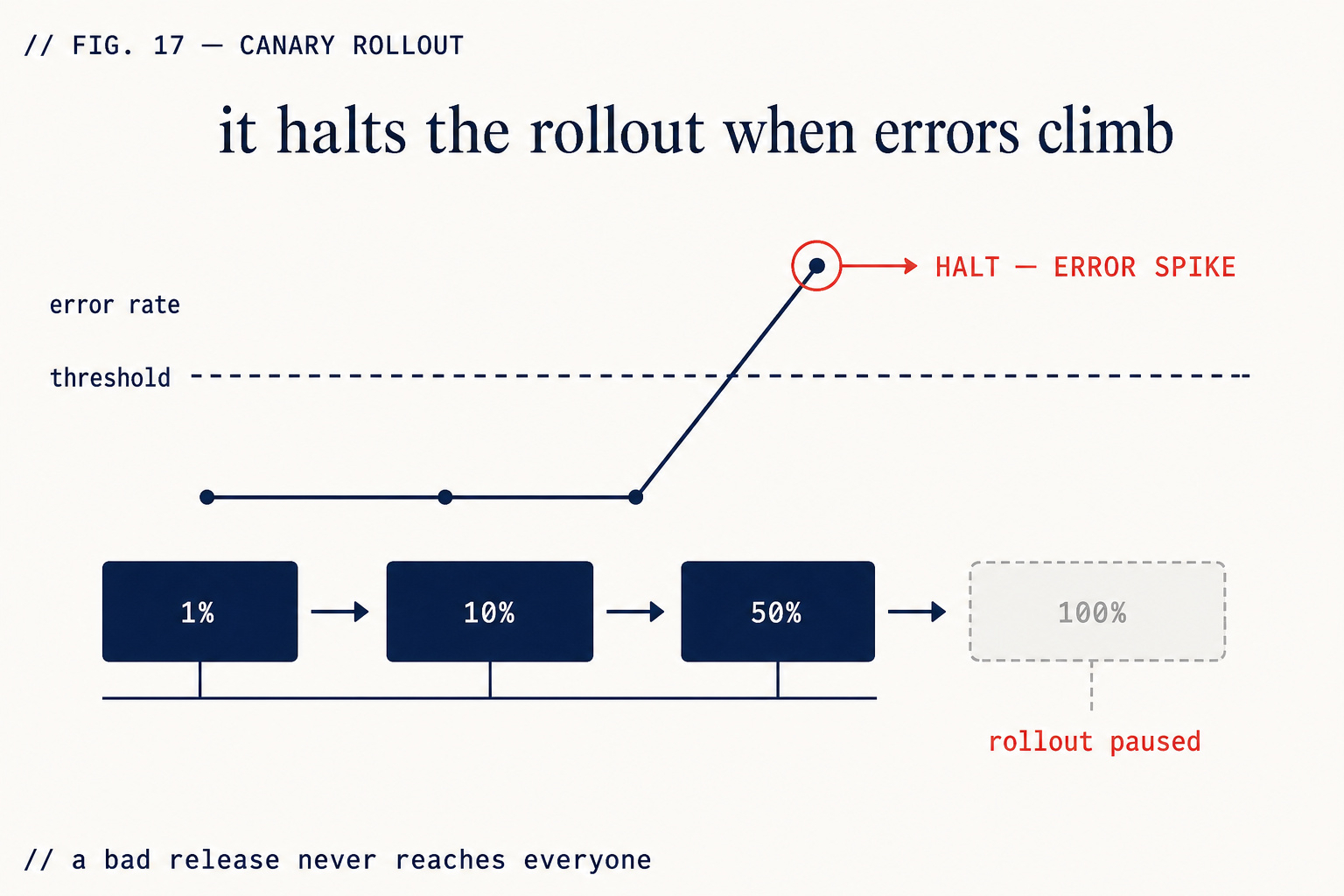
1% → 10% → 50% → 100% with an automatic error gate.
What you get
Automatic error gate
At each traffic stage, ZipLoom monitors the error rate for the new version. If it exceeds the baseline, the rollout pauses and traffic shifts back to the previous version automatically — no manual intervention required.
Configurable stages
Default stages: 1% → 10% → 50% → 100%. You can configure the percentages, the duration at each stage, and the error rate threshold that triggers a pause. Some deployments warrant a longer soak at 10%; some can go straight to 50%.
Ship slowly when it matters
Not every deploy is equal. A dependency update with no user-facing changes can go 100% immediately. A payment flow change should go slowly. Staged rollout gives you the tools to make that distinction without building it yourself.
How staged rollout works
- 1
Enable staged rollout on a project in Settings → Rollout.
- 2
Configure your stages, durations, and error threshold.
- 3
When you deploy, ZipLoom routes a percentage of traffic to the new version using weighted routing on the target platform.
- 4
The synthetic monitor watches the error rate for both versions.
- 5
If the error rate exceeds the threshold, the rollout pauses and traffic reverts to the stable version.
- 6
You receive a notification with the error details. You can manually resume or abort.
What this check inspects
Whether the new release responds correctly before any real traffic reaches it.
Health and error signals from the portion of traffic already on the new version.
The comparison against the previous release, so a regression is visible as a change rather than a raw number.
Whether the rollout should continue, hold, or roll back — decided on those signals, not on a timer.
What it means when this fails
A full-cutover deploy means every user meets your bug at the same moment. A staged rollout means a fraction do, briefly, and the release stops there. The difference between a minor incident and an outage is usually just how many people were exposed before someone noticed.
Questions
- Does this slow down shipping?
- Only in wall-clock minutes, and only on the way out. You're trading a few minutes of gradual rollout for not having to undo a bad release under pressure.
- What triggers a rollback?
- Health-check failures and error signals on the new version. The threshold is a rule you can see and change, not a hidden model.
- Can I skip it for a small fix?
- Yes — it's a deploy option, not a mandate. It's most valuable on releases that touch data, auth, or payments.
What it replaces
Better Stack Uptime
Uptime monitoring, on-call and status pages. Tells you it broke; doesn't roll the release back.
Checkly Starter
Synthetic API and Playwright browser checks. Team plan $64/mo for all regions.
ZipLoom Solo — all 28 features included
Deploy, security scan, and monitoring in one flat price. Guild $40/mo · Studio $70/mo · Business $299/mo.
Related features