deploy
Deploy to 8 Platforms, Zero Config
Managed platforms or your own VPS — framework auto-detected, scanned first.
What you get
Framework auto-detection
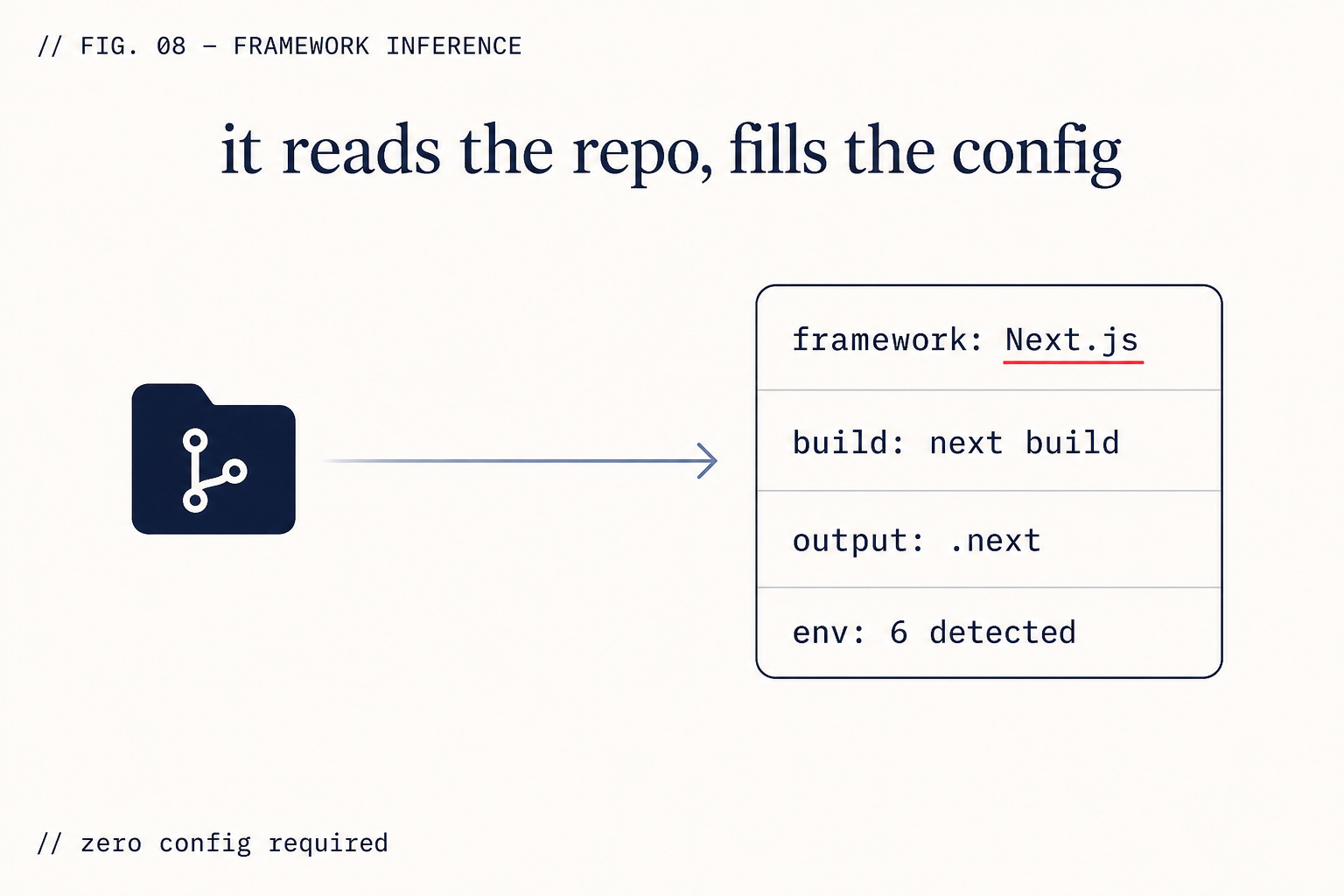
ZipLoom reads your package.json, requirements.txt, or equivalent to detect the framework: Next.js, Remix, SvelteKit, Nuxt, Astro, FastAPI, Rails, and more. Build command, install command, and output directory are inferred — not guessed at by you.
No vendor lock-in
You can switch target platforms at any time. The same codebase deploys identically to Vercel and Railway. The configuration lives in ZipLoom, not in platform-specific YAML files that lock you to one provider.
Security scan before every deploy
The security scan runs before traffic is routed to the new version, regardless of which platform receives the deploy. Switching platforms doesn't disable the safety layer.
Managed platform or your own server
Deploy to a managed platform (Vercel, Netlify, Railway, Render, Cloudflare) or to a server you own on Vultr, DigitalOcean, or Contabo. For your own server, ZipLoom provisions Docker and a Caddy reverse proxy with automatic HTTPS — you keep full control of the box.
How platform selection works
- 1
Connect your target platform in Settings → Integrations (OAuth or API key).
- 2
When you deploy a project, ZipLoom reads your repository to detect the framework.
- 3
The appropriate build configuration is generated automatically.
- 4
The security scan runs against your codebase.
- 5
If the scan passes, the build is submitted to your chosen platform's deploy API.
- 6
Deploy status, logs, and the URL appear in your ZipLoom dashboard.
What this check inspects
Which platform actually fits the app you built — a static site, a server-rendered app, and a background worker have different requirements.
Build command, output directory, and runtime version, detected from the repo rather than asked of you.
Environment variables the app expects, pulled from the encrypted vault at deploy time.
Whether the build succeeded and the deployed URL genuinely responds, not just that the platform reported success.
What it means when this fails
Most failed launches aren't code failures — they're configuration failures: the wrong build command, a missing variable, a runtime mismatch. Deploying to ten platforms from one place means those differences are handled once, and switching platforms later costs a redeploy rather than a rewrite.
Questions
- Which platforms are supported?
- Ten, including Cloudflare Pages, Vercel, Netlify, and Railway. You deploy into your own accounts — ZipLoom holds the credentials in the encrypted vault and ships on your behalf.
- Am I locked in?
- No. The apps run on your platform accounts, and self-host export gives you the configuration to leave. Deployed apps stay live even if you cancel.
- What if I pick the wrong platform?
- Redeploy to another one. Because the configuration is derived from your repo rather than hand-written per platform, moving is a normal operation.
What it replaces
Vercel Pro
Excellent Next.js platform but single-vendor
Railway
Usage-based billing, unpredictable at scale
ZipLoom Solo — all 28 features included
Deploy, security scan, and monitoring in one flat price. Guild $40/mo · Studio $70/mo · Business $299/mo.
Related features
Security Scan on Every Deploy
Catch RLS gaps, secret leaks, and CVEs before your app is reachable.
Learn moreStaged / Canary Rollout
1% → 10% → 50% → 100% with an automatic error gate.
Learn moreSelf-Host Export
Download your Dockerfile, Terraform, and .env template any time. Leaving takes an afternoon.
Learn more