own
White-Label the Dashboard
Put your logo and brand color on the workspace your clients see.
What you get
Your logo, your color
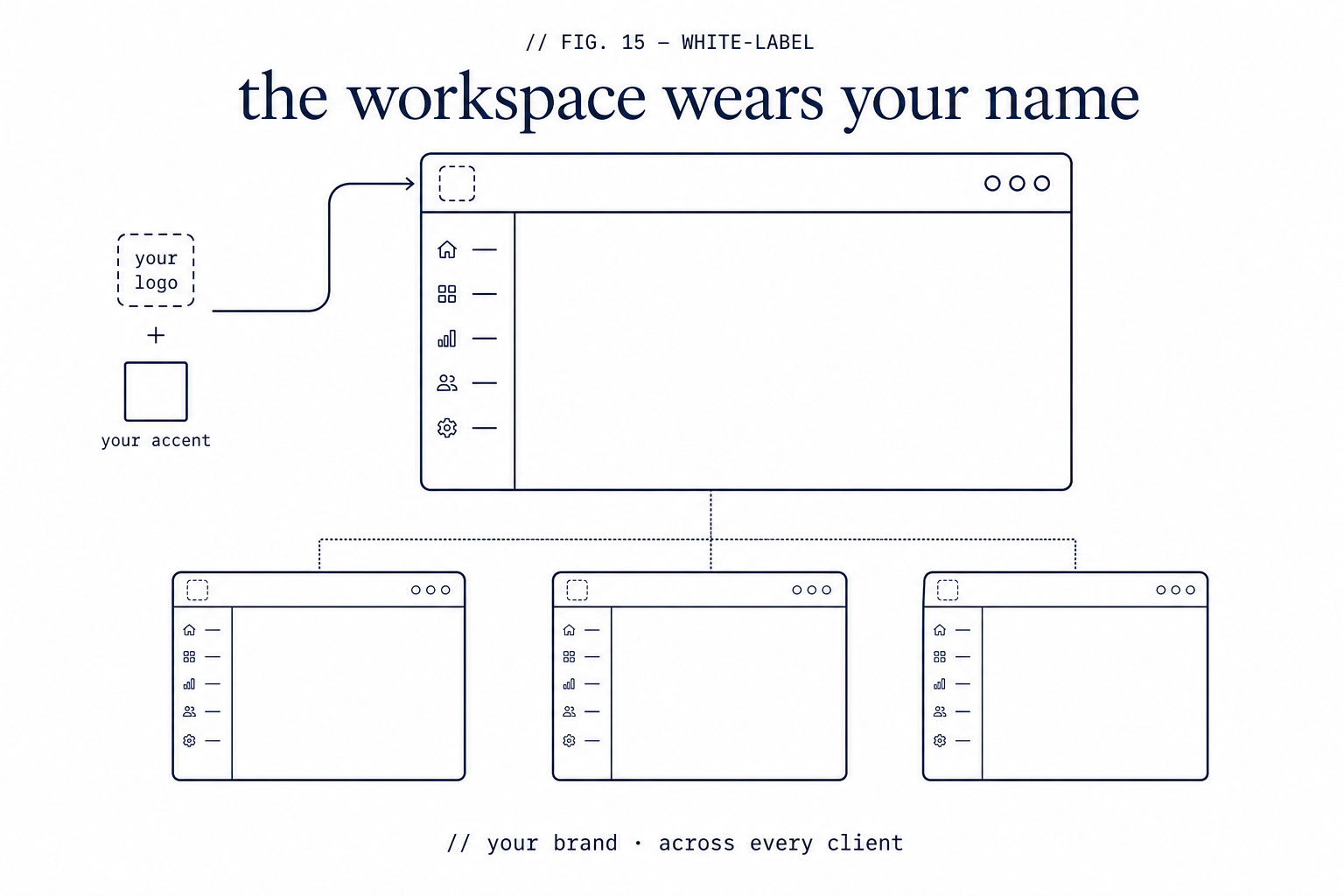
Replace the ZipLoom wordmark with your own logo and set a brand accent color. The branding applies across the workspaces your clients use, so the product looks like yours.
Inherited by client workspaces
Branding is set once on your account and inherited by the client workspaces beneath it — you do not reconfigure it per client.
Built for resale
White-label is part of the Agency tiers, which are licensed to resell. You manage client workspaces under your own brand.
How white-label works
- 1
On an Agency plan, open Settings and Branding.
- 2
Upload your logo and choose a brand accent color.
- 3
The dashboard and your client workspaces adopt your branding.
- 4
Create client workspaces, each inheriting your brand.
What this check inspects
Your logo, colours, and domain on the surfaces your clients see.
Scan reports and deploy summaries presented under your brand.
Client-facing links that stay on your domain rather than advertising a vendor.
Which artifacts are shared and which stay internal to your team.
What it means when this fails
If you ship apps for clients, the security report is part of your deliverable. White-labelling means the work reads as yours — the difference between handing over a professional artifact and forwarding a third party's PDF.
Questions
- Which plans include this?
- It's part of the agency-oriented plans; see pricing for the current tiers.
- Can clients see the ZipLoom name?
- The client-facing surfaces carry your branding.
- Can I customize the report contents?
- Branding and presentation are configurable. The findings themselves are the findings — they're the reason the report is worth anything.
Related features